Short answer: yes, but not a big one. A barber needs one page that shows the work, builds trust, and puts a Book Now button where a thumb can find it. The booking itself can stay in the app you already use.
I built exactly that for a barber in Decatur, Georgia. Here is what's on the page and why.
What does a barber's website actually need to do?
Three jobs, in this order:
- Show who you are and where you cut. Name, shop, city, a clear photo or illustration.
- Prove people like the work. Reviews, rating, kids welcome, first-timers.
- Make booking one tap. One button, repeated, that goes to your real calendar.
Everything else (blog, store, ten menu items) can wait.
Why not just use Instagram and a booking app link?
Instagram and a booking app are good tools. The trouble is what happens between them. A new client sees a cut, taps your bio, and lands on a list of links or a bare booking page with no context. Some will push through. Some won't.
A one-page site fixes the gap. It answers "who is this, is he good, where is he" before the visitor ever sees a calendar. And you own the address, so it still works if a platform changes its rules.
What does it look like in real life?
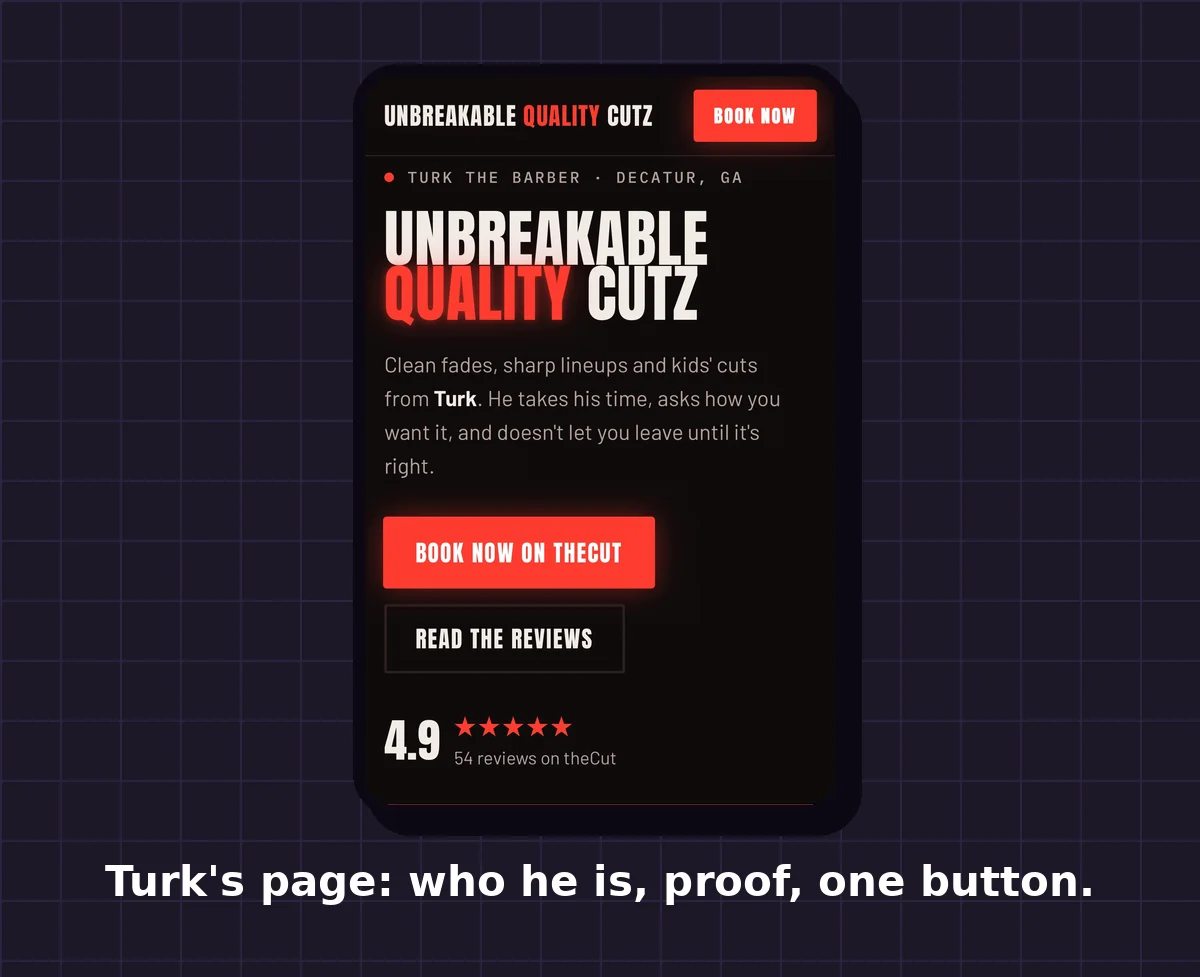
Turk runs Unbreakable Quality Cutz out of Cut Doctors Barbershop in Decatur, GA. His site is a single page:
- Top of the page: his shop name, his city, and a short line about how he cuts (clean fades, sharp lineups, kids' cuts, and he asks how you want it).
- Right under it: a Book Now button that opens his existing theCut booking page. I didn't build him a new booking system. His calendar already lived on theCut, so the site sends people straight there.
- Proof: his theCut rating, 4.9 across 54 reviews, with the reviews shown word for word on the page.
- Find him: the shop address, a directions link, and his Instagram, TikTok and Threads.
- Bottom of the page: the Book Now button again.
The look is his: red, gritty, and illustrated in a comic style so it doesn't read like every other template.
How does booking work, step by step?
Here is the path a new client takes on Turk's site:
- They see a cut on Instagram, TikTok or Threads and tap through to his website.
- The page answers the first questions: who he is, which shop, which city, how clients rate him.
- They tap Book Now. The button appears at the top, again in the middle and again at the bottom, so there is never a scroll hunt.
- They land on Turk's theCut page. His open times, services and prices live there, and it stays up to date because he manages it in one place.
- They pick a time and the booking is made on theCut, not through a form on the website.
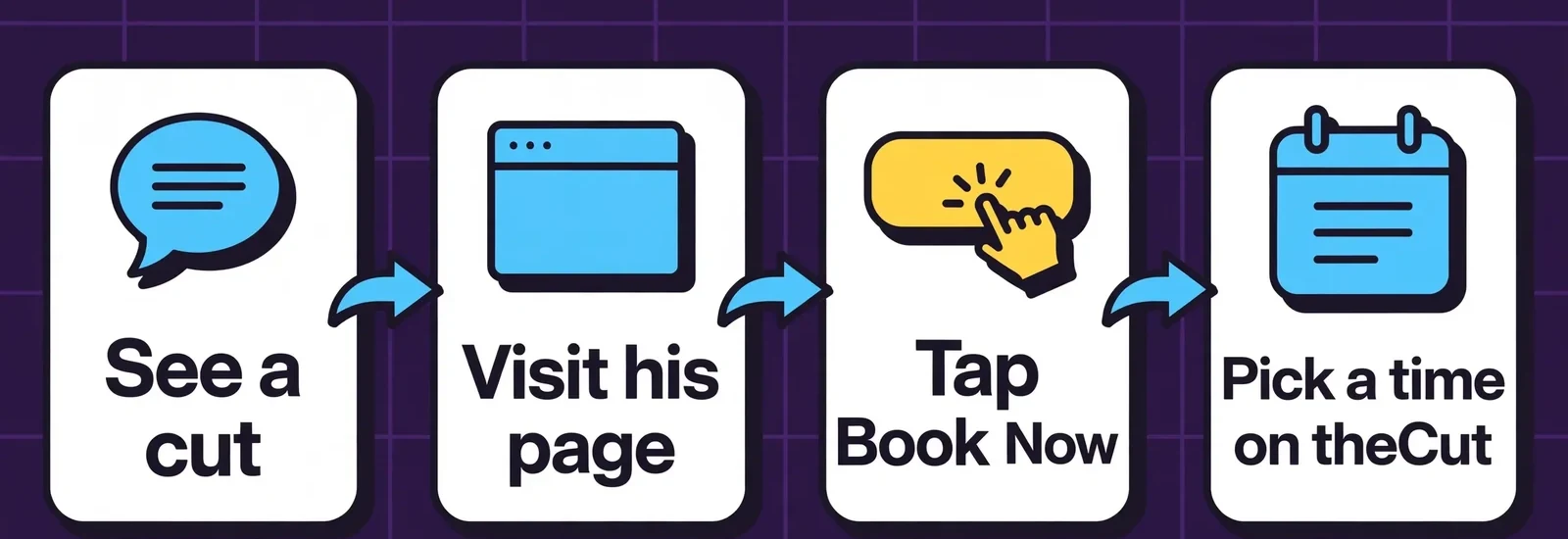
Notice what the website does not do: it doesn't hold a calendar, take payment or store client details. It earns trust and hands the person to the tool that already does the booking. Fewer moving parts means fewer things to break.
Do I need to replace my booking app?
No. This is the part people get wrong. If you already take bookings in theCut, Booksy, Squire or similar, keep them. The website's job is to send people there with confidence. Rebuilding a booking system is extra cost and extra risk for no gain.
When would you want booking on your own site? When you want one calendar you control across services, deposits, or reminders you can customize. That's a bigger setup, and most solo barbers don't need it on day one.
What should I put on my barbershop page first?
If you're starting from nothing, in this order:
- Your name or shop name and your city
- One good photo (or illustration) of you at work
- A Book Now button that goes to your real booking link
- Your rating and a few real reviews you have permission to show
- Address, hours or a link to them, and your socials
Do those five and you're ahead of most barbers' online presence.
Questions barbers ask
Do I need a website if I already have Instagram?
It helps. Instagram shows the work. A website gives new people context and gives you an address you own.
Can the Book Now button link to the app I already use?
Yes. That's how Turk's site works.
Can I show my reviews on my site?
Reviews you earned on another platform can be shown with credit, as long as they're accurate and you have the right to display them. Check the platform's terms.
Want one like this?
If you're a barber, stylist or tattoo artist who wants a page that turns profile visits into bookings, request a consultation and tell me what you do.
Coco Moreland is a freelance digital presence consultant in Atlanta.